
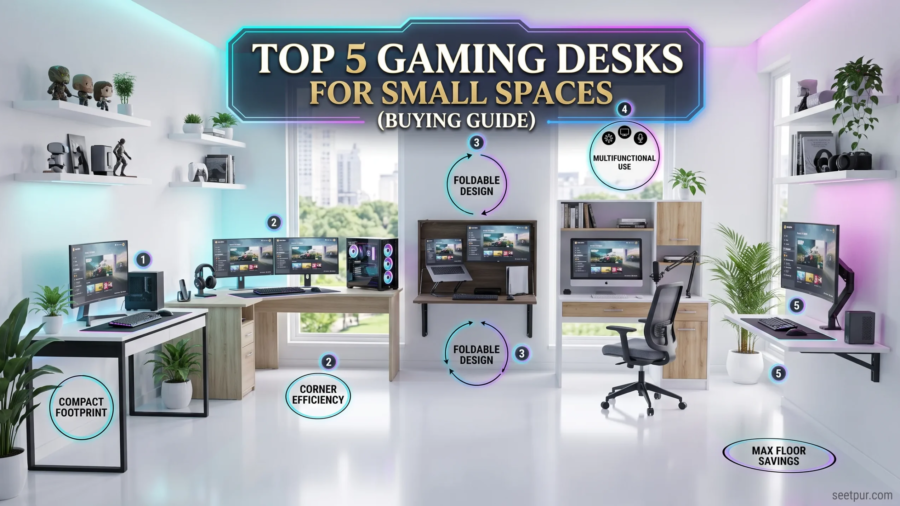
Top 5 Gaming Desks for Small Spaces (Buying Guide): Finding the right gaming desk can be surprisingly difficult when you have limited room. A large desk may offer plenty of space for monitors, speakers, a gaming PC, and accessories, but it can quickly make a small bedroom or home office feel cramped.
The good news is that you do not need a huge workstation to build a comfortable gaming setup. The best gaming desks for small spaces are designed to use limited floor area efficiently while still providing enough room for your essential equipment.
In this guide, we look at five types of gaming desks that work particularly well in compact rooms, along with the features you should consider before buying one.
Whether you use a single monitor, laptop, console, or a compact gaming PC, the right desk can make your setup more comfortable without taking over the entire room.
Quick Comparison: Top Gaming Desks for Small Spaces
| Gaming Desk | Best For | Main Advantage | Space Requirement |
|---|---|---|---|
| Compact Straight Gaming Desk | Overall small-space setup | Simple and efficient | Low |
| L-Shaped Corner Gaming Desk | Corner setups | Uses unused corner space | Medium |
| Folding Gaming Desk | Very small rooms | Easy to store | Very low |
| Compact Computer Desk | Gaming + work | Versatile design | Low |
| Wall-Mounted Gaming Desk | Extremely limited space | Saves maximum floor space | Very low |
1. Compact Straight Gaming Desk — Best Overall
A compact straight gaming desk is one of the safest choices for a small gaming room.
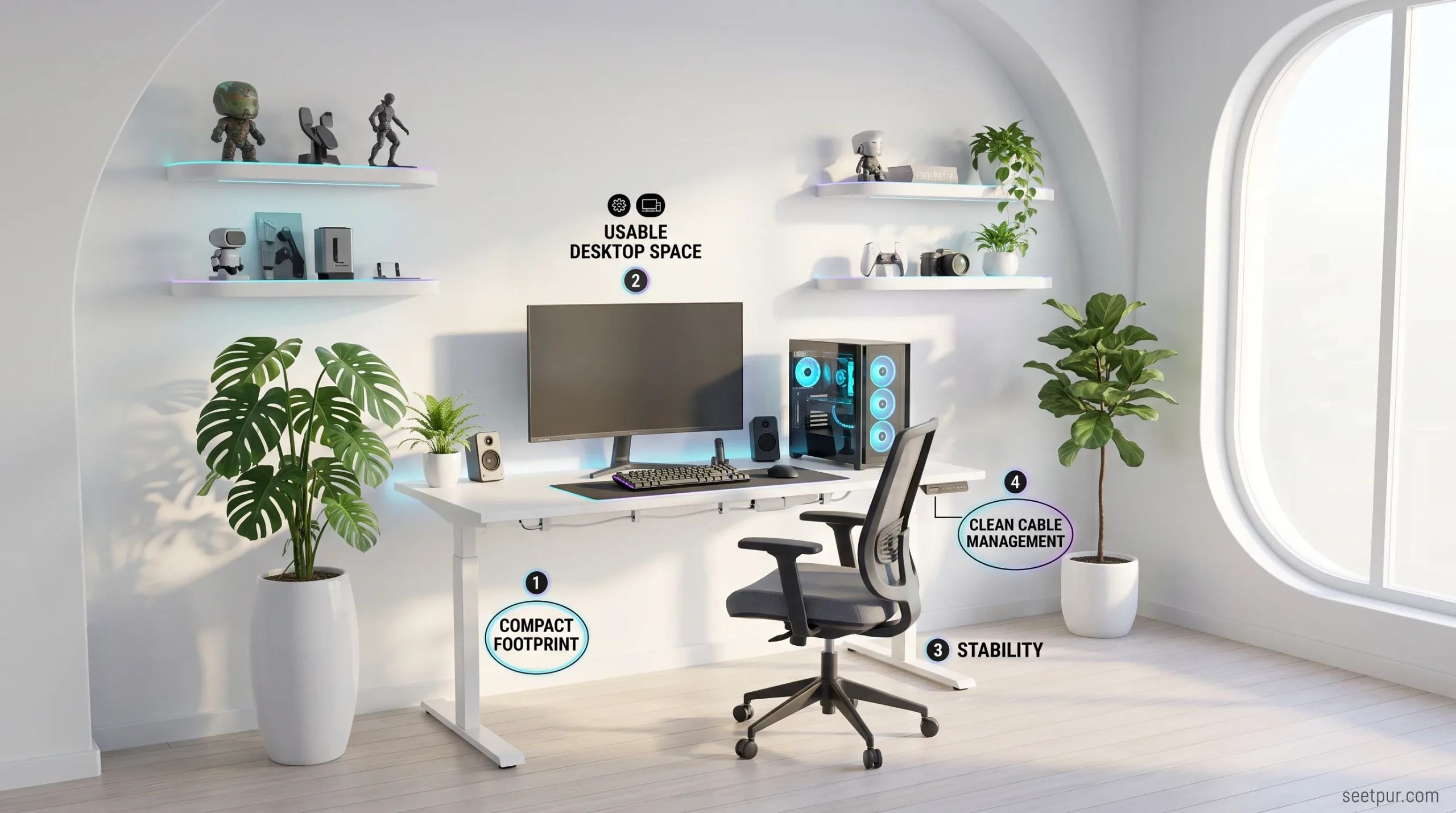
Instead of trying to fit a large workstation into a limited area, these desks focus on providing enough surface area for the essentials while keeping the overall footprint relatively small.
A good compact desk can accommodate a monitor, keyboard, mouse, speakers, and either a gaming PC or laptop without consuming unnecessary floor space.
Why it’s good for small spaces
The biggest advantage is its simple rectangular shape. You can place it against almost any wall, making it easier to organize your room.
Look for a model with:
- A reasonably deep desktop
- Cable-management openings
- Strong legs or frame
- Enough legroom
- A scratch-resistant surface
- Optional monitor-mount compatibility
A straight desk also gives you more flexibility if you later decide to move your gaming setup to another room.
Best for
This style is particularly suitable for gamers who use one monitor and a compact PC.
If you do not need multiple monitors or a huge collection of gaming accessories, there is little reason to purchase an oversized desk.
2. L-Shaped Gaming Desk — Best for Corner Spaces
An L-shaped gaming desk can be an excellent solution if your room has an unused corner.
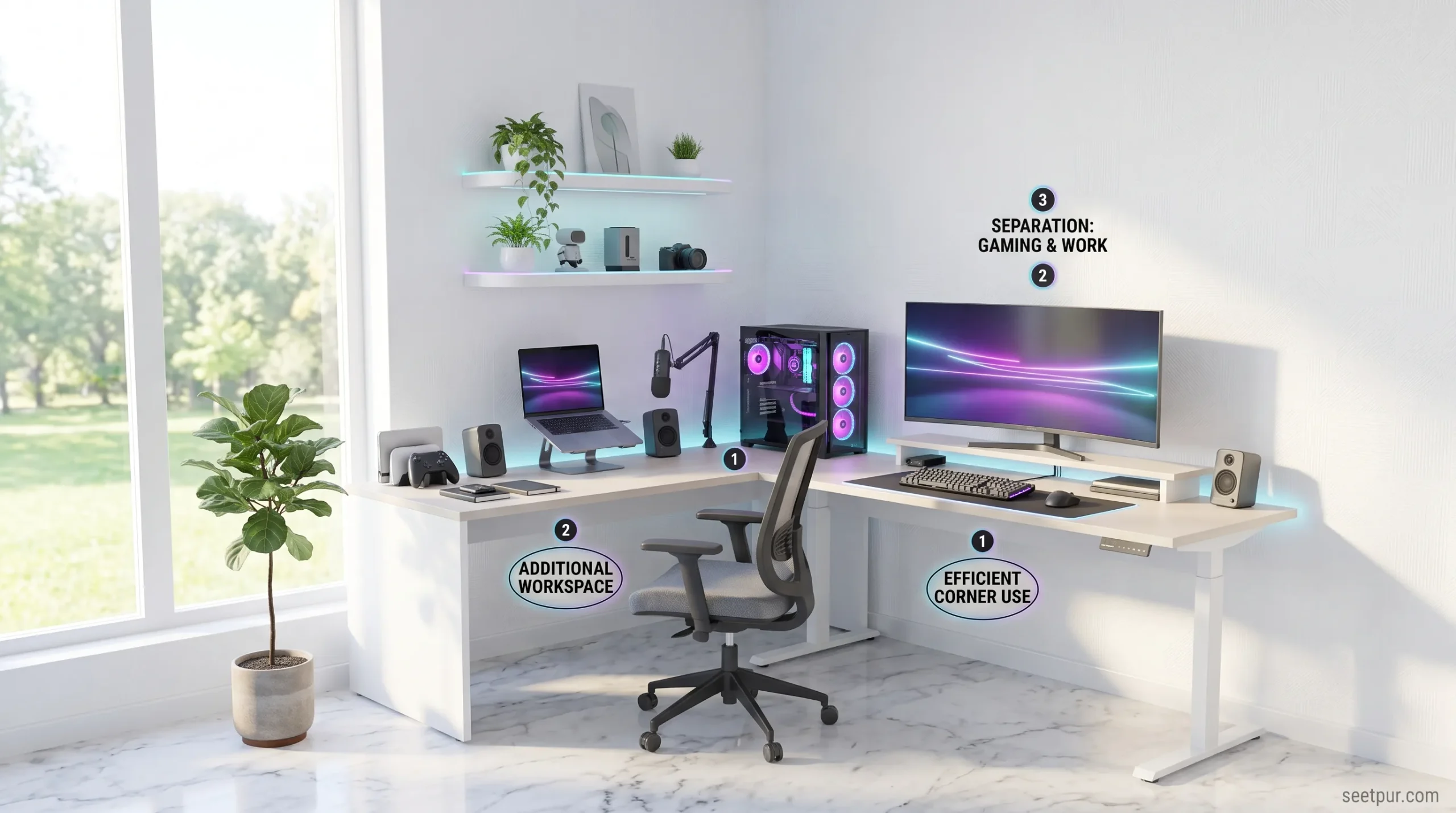
Instead of extending a long desk across an entire wall, the L-shaped design wraps around the corner and creates two working surfaces.
This can be useful for gamers who want separate areas for gaming and other activities.
For example, one side can hold your gaming monitor and keyboard while the other side can be used for a laptop, documents, speakers, or streaming equipment.
Why it works
Corners are often wasted space in smaller bedrooms. An L-shaped desk turns that unused area into a functional workstation.
However, you should measure your room carefully before buying one.
Pay attention to:
- Width of both sides
- Overall depth
- Corner clearance
- Door and drawer clearance
- Monitor placement
- Legroom
An L-shaped desk can save space when positioned correctly, but the wrong size can actually make a small room feel more crowded.
Best for
Choose this type if you have a suitable corner and need more workspace without occupying an entire wall.
3. Folding Gaming Desk — Best for Very Small Rooms
If your gaming setup needs to disappear when you are finished, a folding desk can be a smart option.
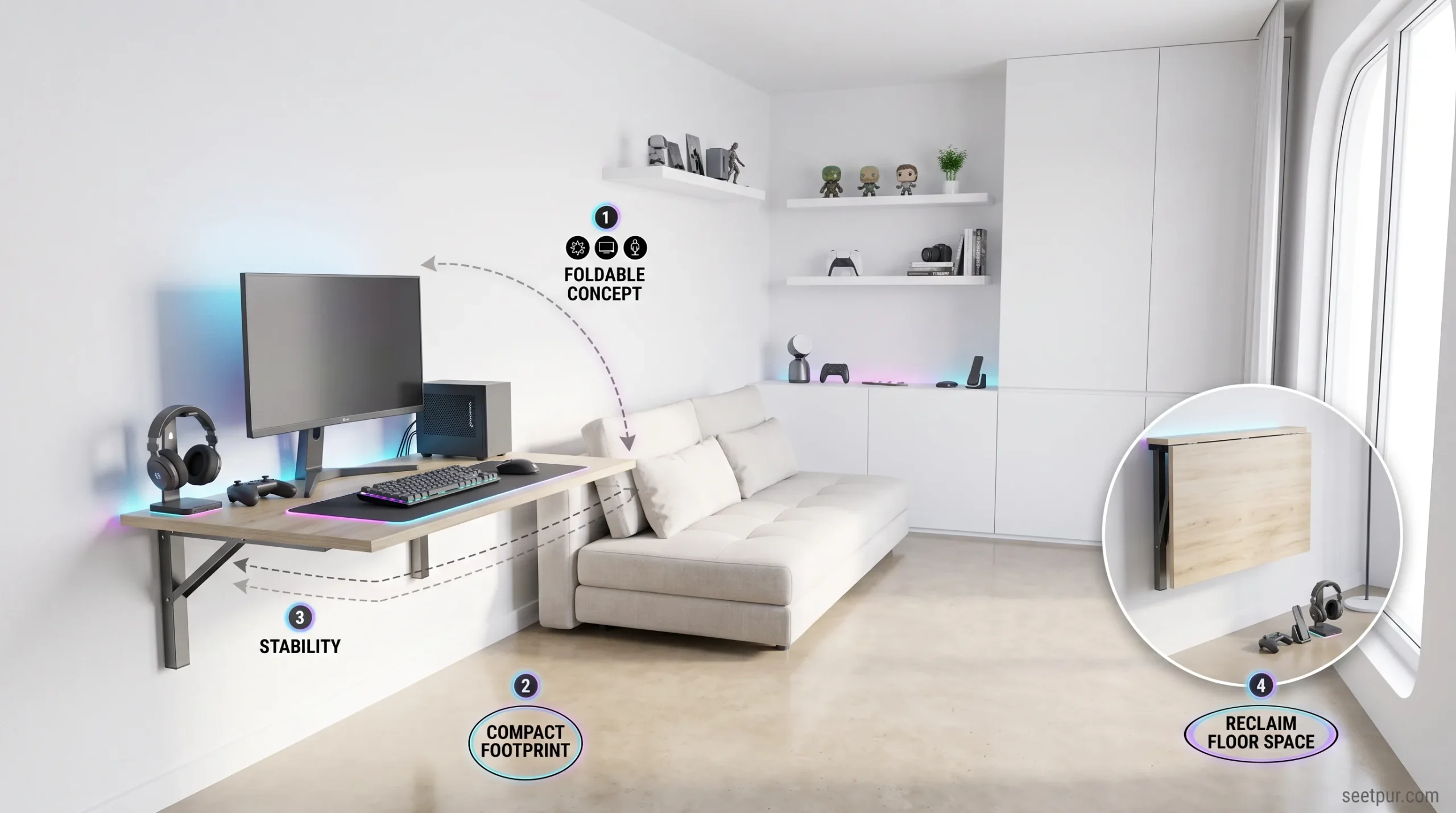
These desks are designed around flexibility. Depending on the model, the desktop can fold down, or the entire desk can be moved and stored when it is not needed.
This makes them particularly useful for bedrooms, shared rooms, dorm-style spaces, and temporary gaming setups.
Advantages
The biggest benefit is flexibility.
You can use the desk during gaming sessions and then fold or move it when you need additional floor space.
Look for a folding desk with:
- A stable locking mechanism
- Strong hinges
- Sufficient desktop depth
- Good weight capacity
- Cable-management options
- A sturdy frame
Do not sacrifice stability just to get the smallest possible desk.
A desk that shakes every time you move your mouse can quickly become frustrating.
Best for
Folding desks are ideal for people who have very limited floor space or need a workstation that can be stored away.
Read More: Best Gaming Chairs in 2026: Budget to Premium Picks
4. Compact Computer Desk — Best for Gaming and Work
Not every good gaming desk needs to look like a traditional gaming product.
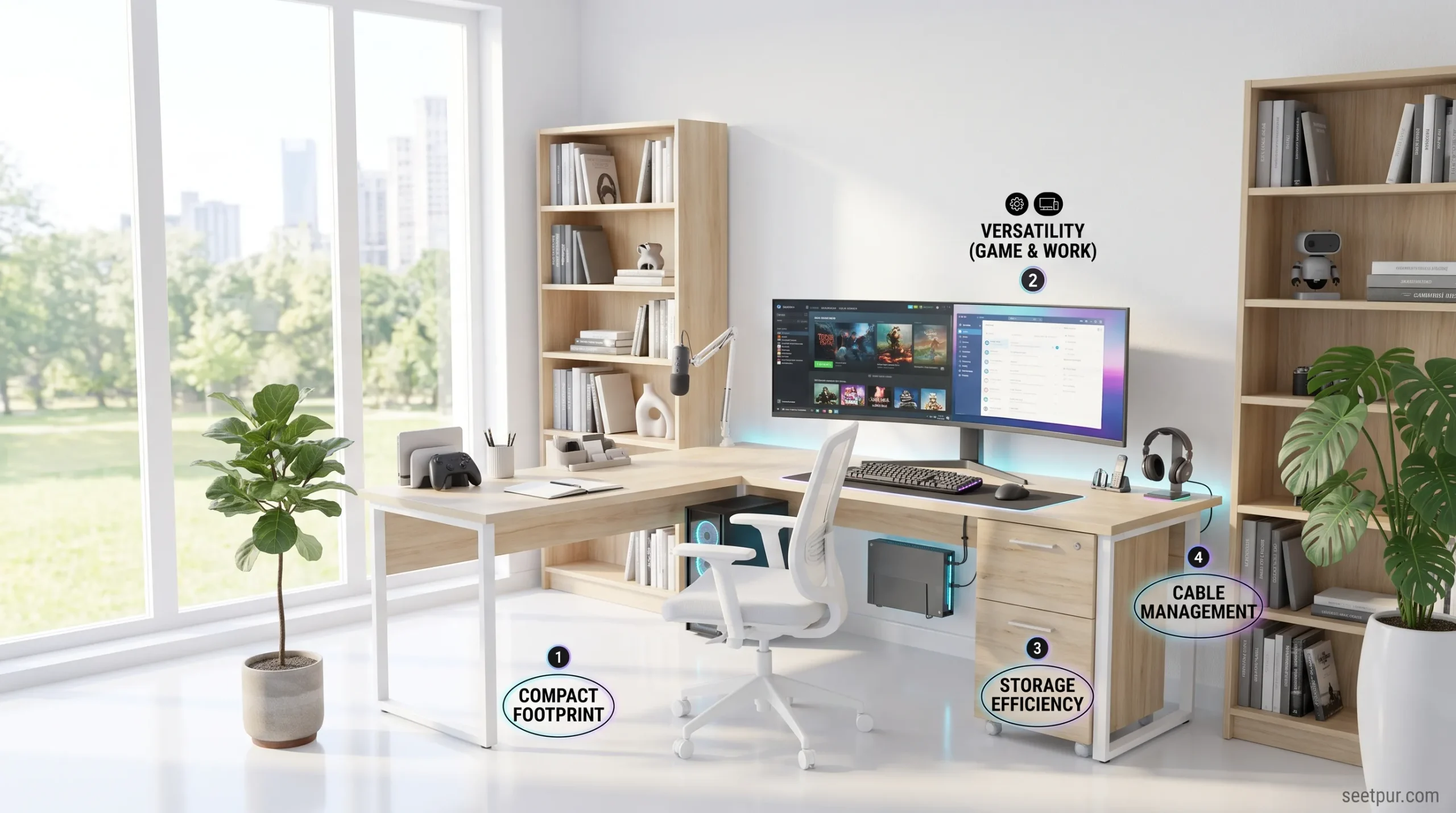
A compact computer desk can be a better choice if you use your setup for both gaming and work.
These desks generally have a cleaner appearance and can fit naturally into bedrooms, home offices, and multipurpose rooms.
Some models include shelves or drawers, which can provide additional storage without requiring another piece of furniture.
Why consider one?
A gaming-specific desk may prioritize appearance and RGB lighting, while a compact computer desk often focuses more on practicality.
For a small room, that can be an advantage.
You can use the desktop for:
- Gaming
- Studying
- Remote work
- Browsing
- Content creation
- Laptop use
If your room has to serve multiple purposes, a versatile desk may provide better overall value than a dedicated gaming workstation.
Best for
This is a strong choice for anyone who wants one desk for gaming, work, and everyday computer use.
5. Wall-Mounted Gaming Desk — Best for Maximum Floor Savings
When floor space is extremely limited, a wall-mounted desk can provide a completely different solution.
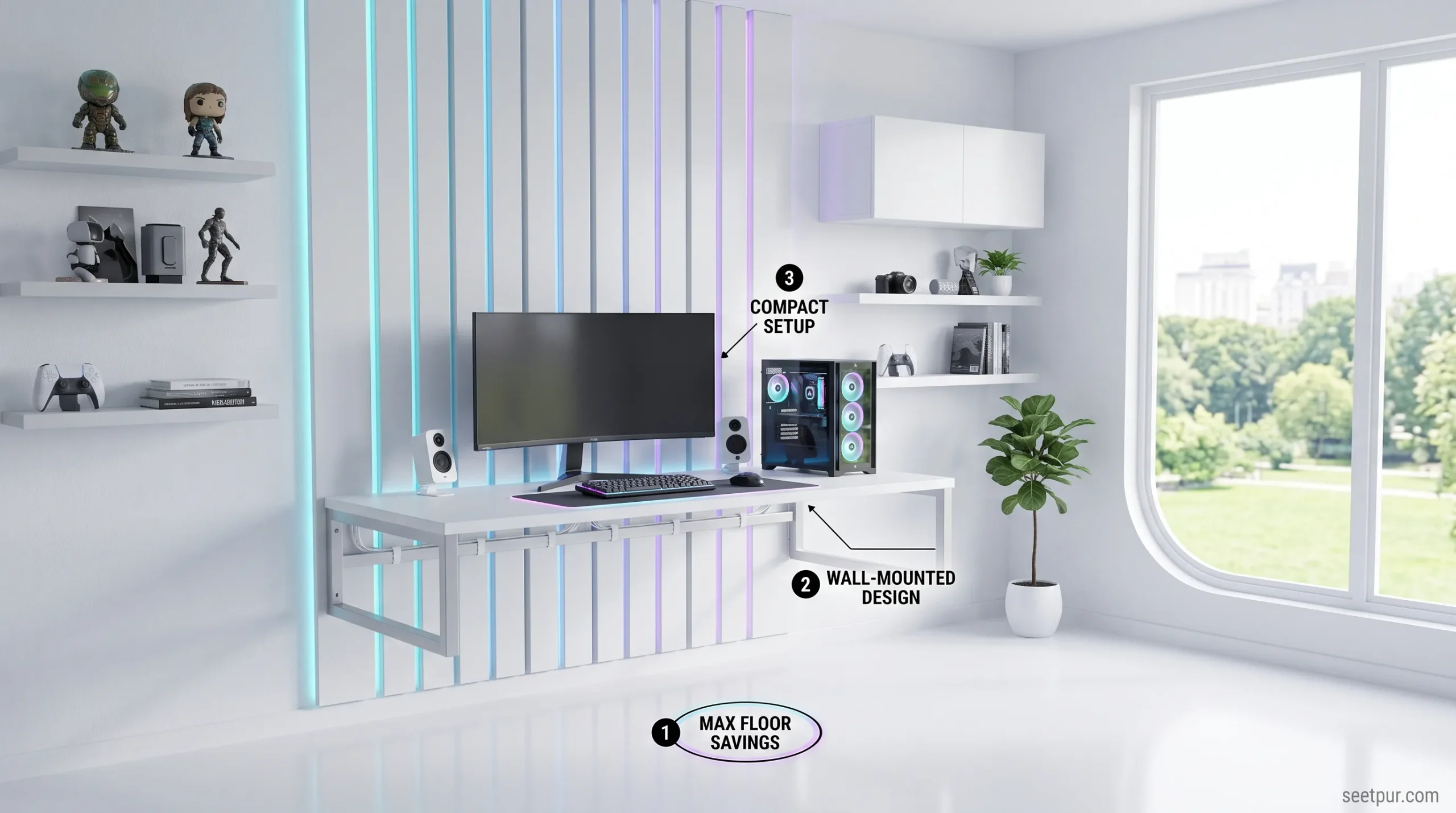
Instead of using traditional legs, the desk attaches directly to the wall. This leaves more open space underneath and can make a small room feel less cluttered.
Some wall-mounted designs are also foldable, allowing you to close the desktop when it is not being used.
What to check before buying
Wall-mounted desks require more planning than ordinary desks.
You need to consider:
- Wall construction
- Mounting hardware
- Maximum weight capacity
- Desktop depth
- Monitor weight
- Cable routing
- Installation height
Do not assume that every wall can safely support a heavy gaming PC and monitor setup.
If you are using a large desktop computer, verify the desk’s weight rating and mounting requirements carefully.
Best for
This option makes the most sense for extremely small rooms where preserving floor space is the top priority.
What Size Gaming Desk Do You Need?
There is no universal desk size that works for everyone.
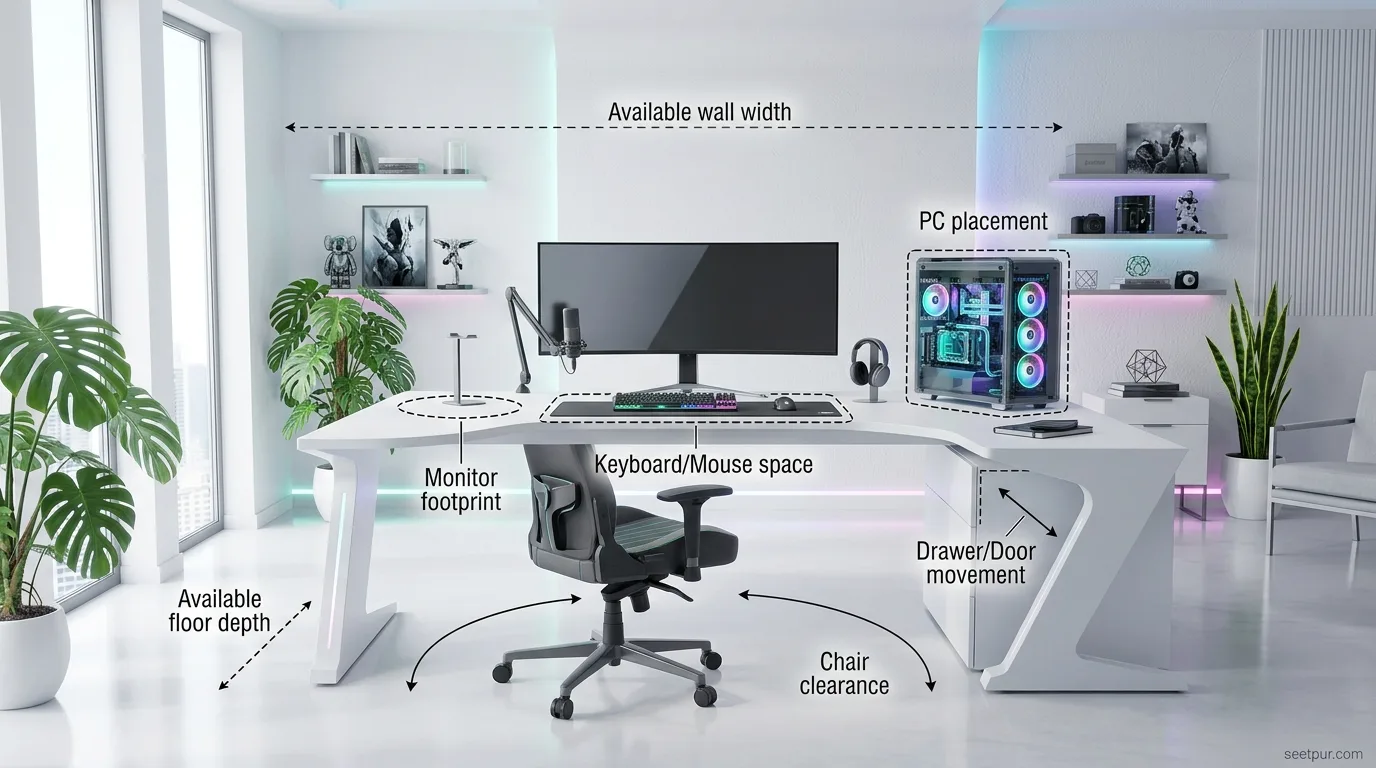
Your ideal dimensions depend on your equipment and how you use the desk.
A single-monitor gamer with a compact PC can work comfortably with a relatively small surface.
Someone using two monitors, speakers, a microphone, a large keyboard, and additional accessories will need considerably more room.
Before buying, measure:
- Available wall width
- Available floor depth
- Monitor footprint
- Keyboard and mouse area
- PC location
- Chair clearance
- Door and drawer movement
Do not measure only the wall.
You also need to make sure that your gaming chair can move freely underneath the desk.
Important Features to Look For
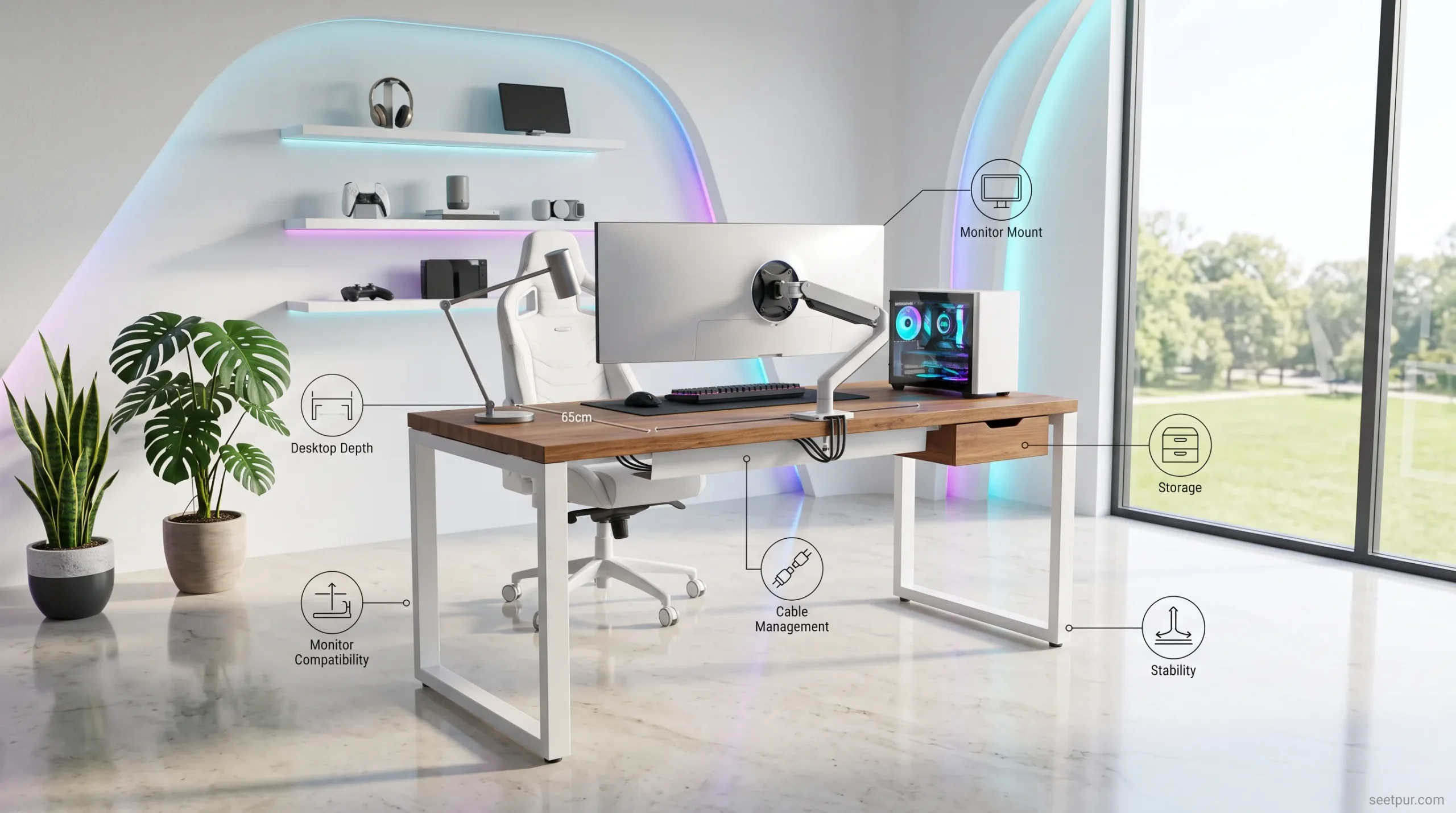
1. Desktop Depth
Desktop depth is often more important than overall width.
A desk can be relatively narrow but still comfortable if it provides enough front-to-back space for your monitor and keyboard.
If the desktop is too shallow, your monitor may end up too close to your eyes.
2. Cable Management
Small rooms can become cluttered quickly.
Cable-management holes, channels, trays, or clips can keep power and display cables organized.
A clean cable setup can make even a basic desk look much more premium.
3. Monitor Mount Compatibility
A monitor arm can save valuable desktop space.
Instead of placing your monitor directly on the desk, you can mount it using an arm and keep more room available for your keyboard, mouse, and other accessories.
Before buying, check whether the desk supports the mounting method you plan to use.
4. Storage
Storage can be useful, but do not automatically choose a desk with large shelves.
Extra shelves can increase the overall footprint.
For a small room, a minimalist desk combined with wall shelves or a small under-desk storage solution may work better.
5. Stability
A compact desk should not feel fragile.
Check the construction of the frame, legs, joints, and desktop.
A stable desk is especially important if you use a heavy gaming monitor or mechanical keyboard.
How to Organize a Small Gaming Desk
Buying a compact desk is only half the solution.
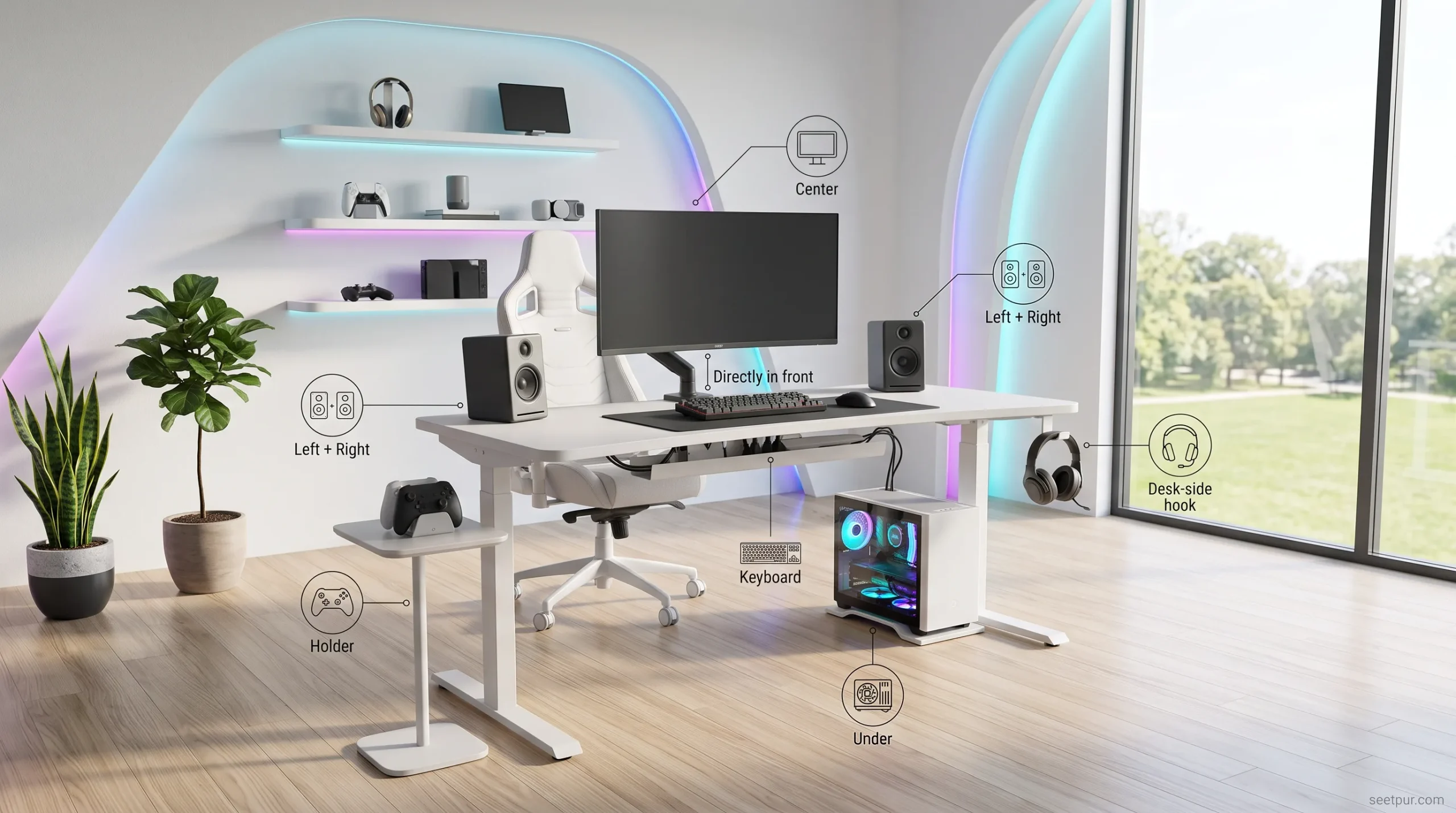
How you organize it also matters.
Keep the items you use most frequently within easy reach and move less frequently used accessories away from the main workspace.
A simple arrangement might look like this:
Monitor → Center
Keyboard + Mouse → Directly in front
Speakers → Left and Right
PC → Under or beside desk
Controller → Small holder
Headset → Desk-side hook
You can also use a monitor arm, under-desk headphone holder, cable tray, and compact speakers to free up valuable surface space.
Gaming Desk vs Regular Desk for Small Rooms
You do not necessarily need a desk marketed specifically as a “gaming desk.”
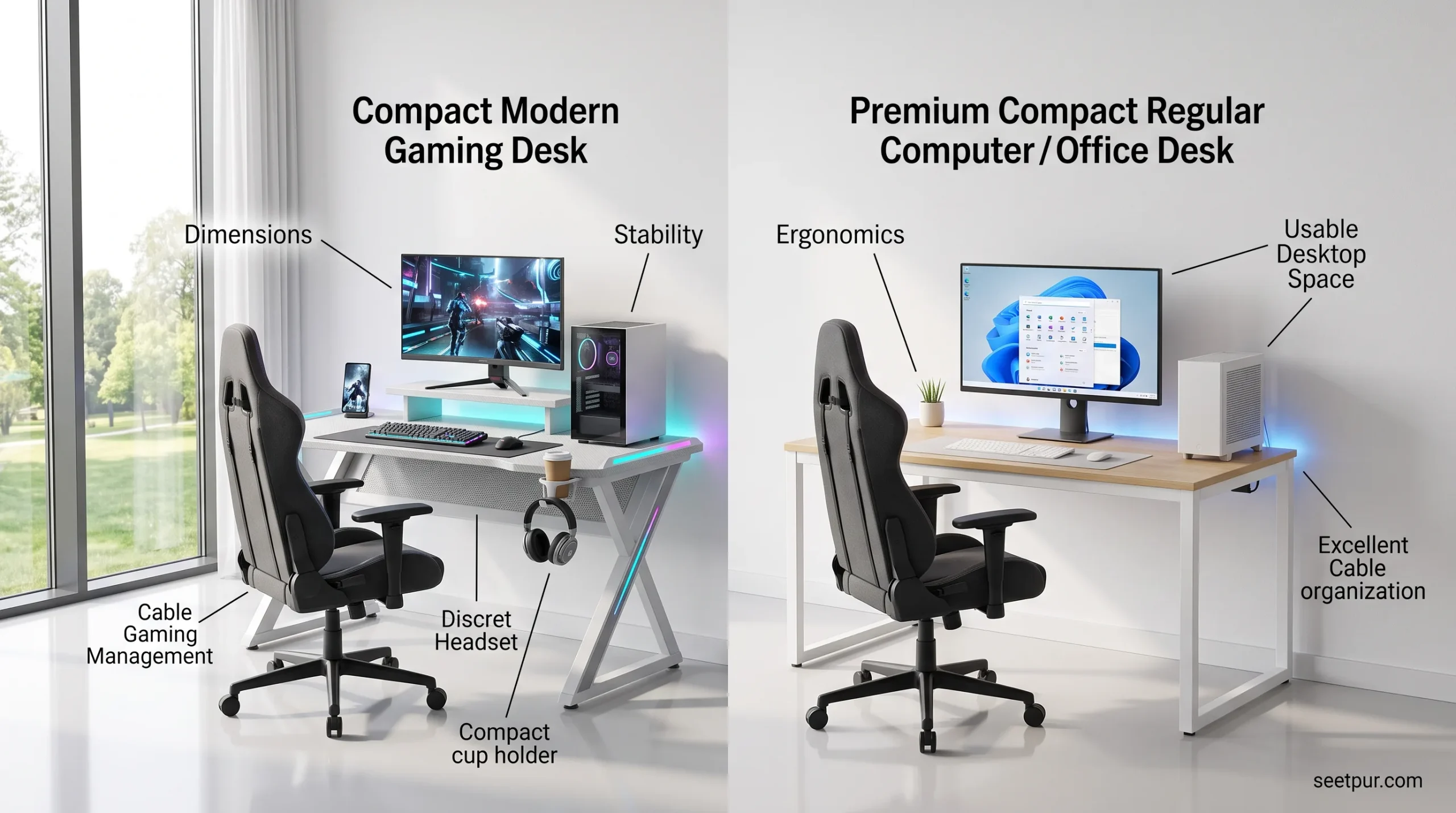
A regular computer or office desk can work perfectly well for gaming.
Gaming desks often provide features such as:
- Cable management
- Headset hooks
- Cup holders
- Monitor shelves
- RGB lighting
- Gaming-focused styling
However, these features are not essential for gaming performance.
If space is your biggest concern, prioritize dimensions, stability, ergonomics, and usable desktop space over gaming aesthetics.
Common Gaming Desk Buying Mistakes
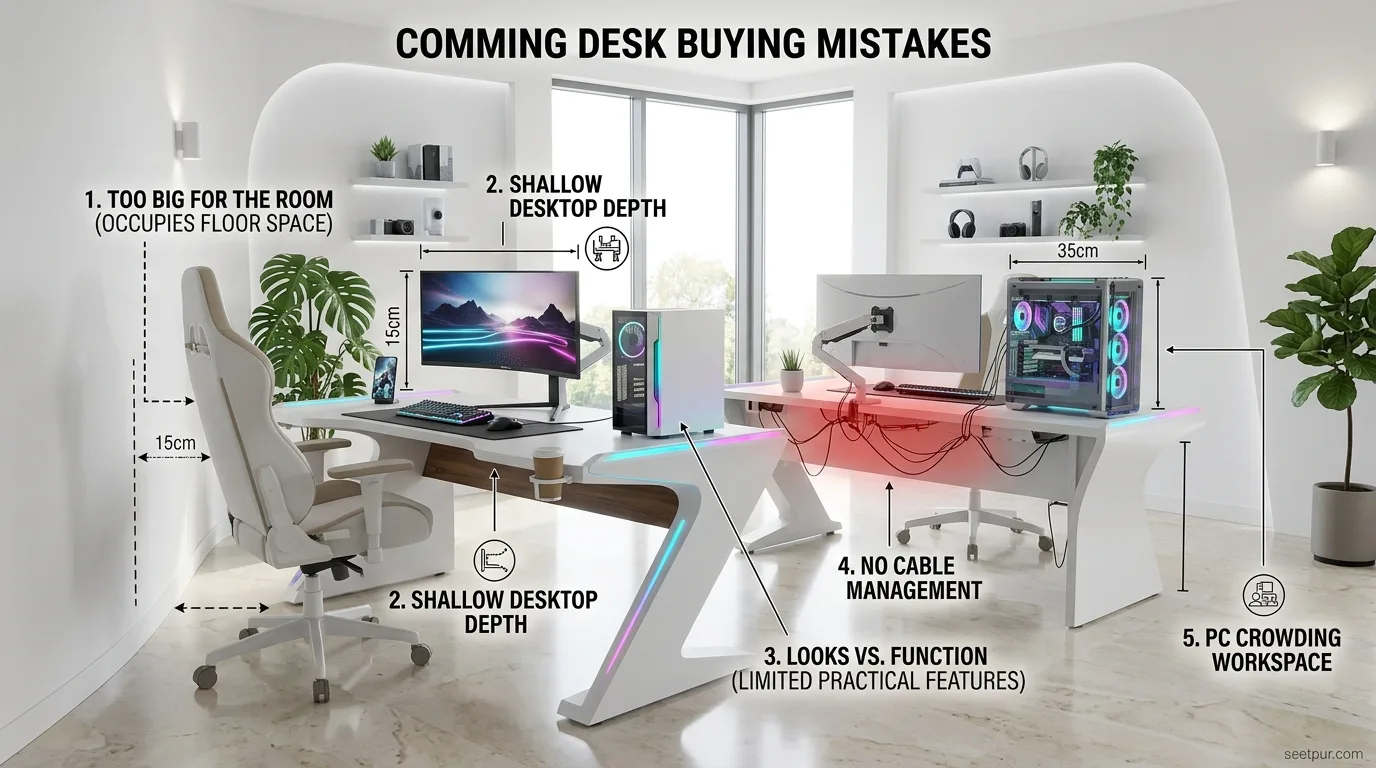
Buying the biggest desk that fits
A desk that technically fits inside your room can still make the space uncomfortable.
Leave enough room for your gaming chair and movement around the workstation.
Ignoring depth
Many buyers focus only on width.
A desk with insufficient depth can create a cramped monitor and keyboard setup.
Choosing appearance over functionality
RGB lighting, aggressive shapes, and racing-inspired designs may look impressive, but they do not automatically make a desk better.
Forgetting cable management
Poor cable management can make a small setup look much more cluttered than it actually is.
Not measuring the PC
If you plan to keep your PC on the desktop, make sure there is enough space for it without sacrificing your monitor and mouse area.
Are Small Gaming Desks Worth It?
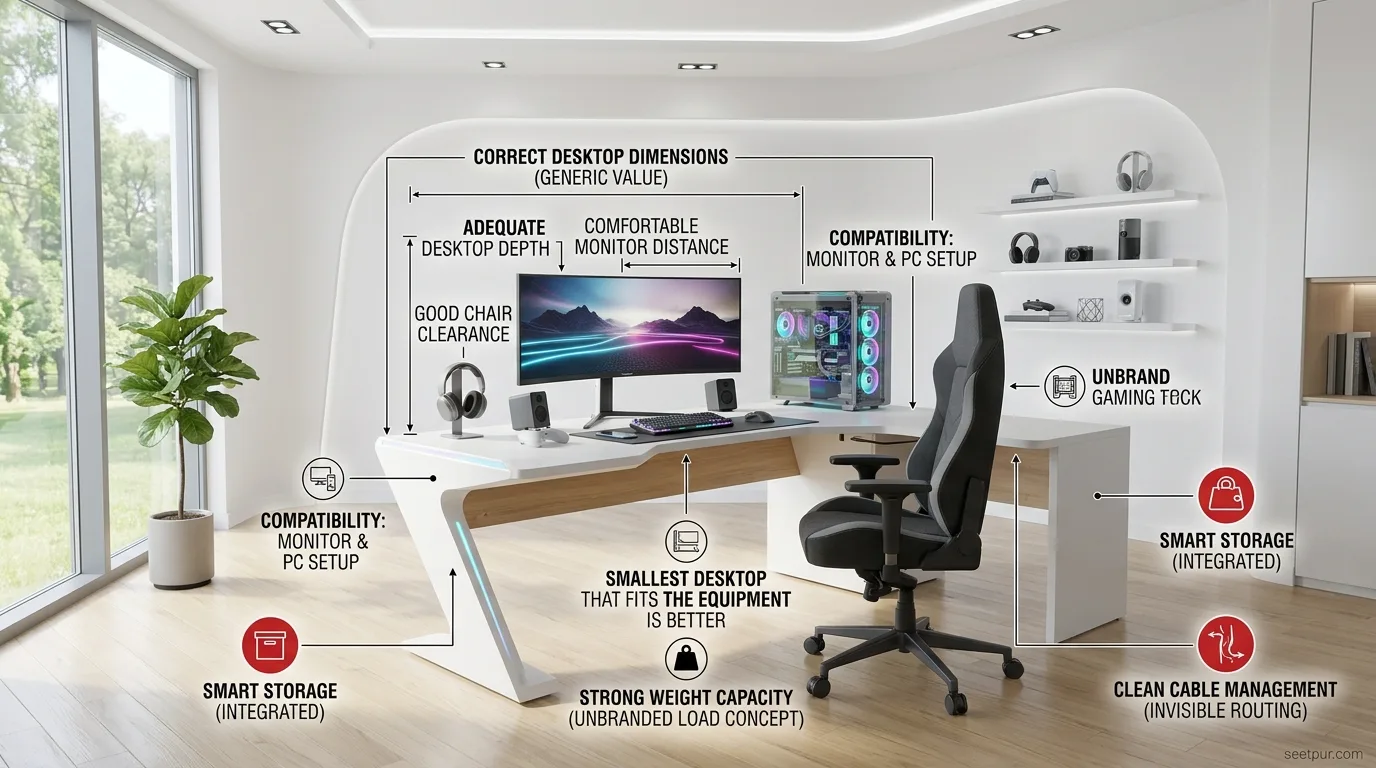
Yes, especially when the desk is properly matched to your equipment.
A compact gaming desk does not necessarily mean a poor gaming experience.
In fact, a well-designed small desk can make your room feel more organized and comfortable.
The key is to avoid buying a desk simply because it is labeled “compact.” Check the actual dimensions, desktop depth, weight capacity, storage, cable management, and compatibility with your chair and monitor setup.
For most people, the best gaming desk for a small space is the smallest desk that comfortably accommodates their equipment without compromising ergonomics.
Conclusion
The best gaming desks for small spaces depend on how much equipment you use and how your room is arranged. A compact straight gaming desk is the best all-around choice for most gamers. An L-shaped desk works well when you have a usable corner, while a folding desk is better for extremely flexible setups.
If you also work or study at the same workstation, a compact computer desk may offer better versatility. And when floor space is extremely limited, a wall-mounted desk can provide the biggest space-saving advantage.
Before buying, measure your available space and prioritize desktop depth, stability, cable management, chair clearance, and actual dimensions rather than relying only on marketing labels.
Ultimately, the best gaming desks for small spaces are not necessarily the smallest ones; they are the desks that give you enough room for your gaming equipment while keeping the room comfortable, organized, and easy to move around.
[…] Read More: Top 5 Gaming Desks for Small Spaces (Buying Guide) […]